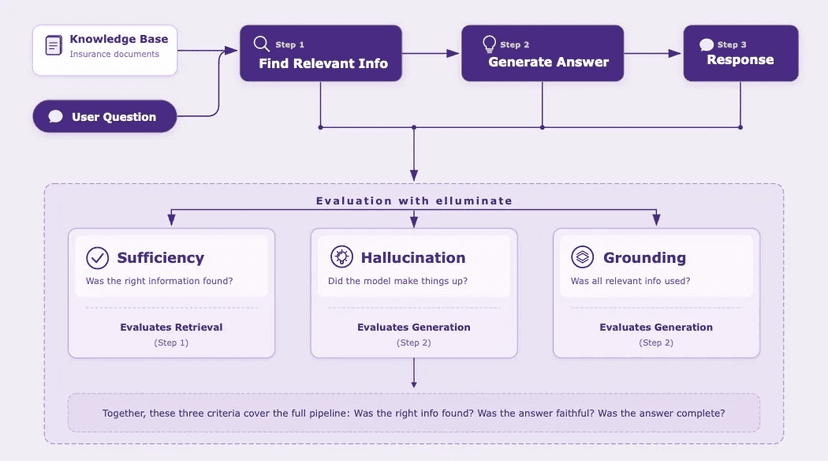

When you build AI systems, you need to know where they break. AI evaluation means running your system against a set of test cases and measuring whether it behaves correctly.
We recently built a feature in elluminate that auto-generates these test cases. You describe a behavioral requirement, and the generator creates inputs designed to probe whether the system actually follows it. When we ran our first experiment, every system passed every test. 100% across the board.
We pulled up a few test cases to check. One requirement said the system should handle ambiguous user requests by asking clarifying questions. The generated test input was: "Can you help me with something?" Of course the system asked a polite follow-up. Test passed. But a real user might write "fix my code" with no context, or paste a wall of text with three different questions buried in it. The 100% didn't mean our systems were perfect. It meant our tests were too easy.
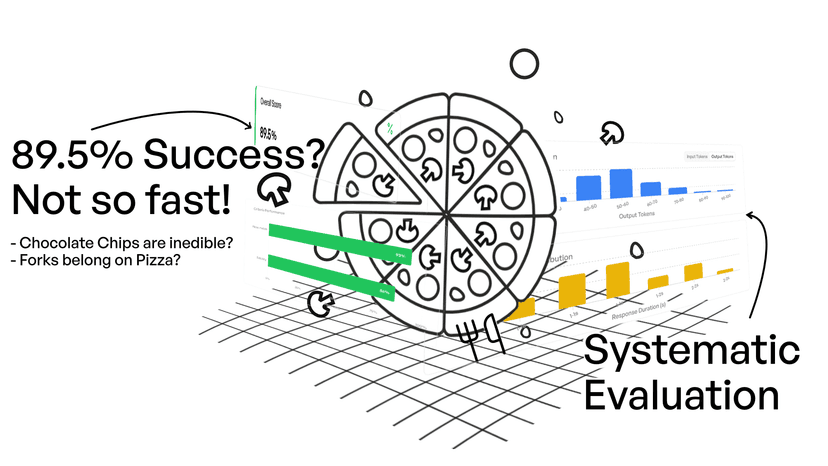
An 85% pass rate where you can see exactly which edge cases trip up which models is infinitely more useful than 100% that tells you nothing. The point is not a lower number, but tests that surface real behavioral differences between systems so we can make informed decisions about which model to use, which prompt to ship, and where the system still has gaps.
We iterated through a dozen prompt variations and brought our pass rate from a meaningless 100% down to a realistic 85% where actual limitations started surfacing. What made this fast was working through elluminate's MCP server. Instead of bouncing between browser tabs, spreadsheets, and our code editor, we stayed in one conversation while the assistant handled the mechanics of running experiments and fetching results.
This post shares what that workflow looked like and why it worked well for us.
The Setup
elluminate exposes its full evaluation platform through an MCP server, a standard that lets AI assistants interact directly with external tools. A coding assistant can create experiments, fetch results, and drill into individual test cases without leaving the conversation.
We'd been using the elluminate UI for evaluation work, which is great for exploring results visually. But for rapid iteration on prompt changes, the context-switching was slowing us down:
- Make changes in your code editor
- Switch to the evaluation platform
- Configure experiment parameters
- Navigate through the UI to find failure details
- Copy relevant information somewhere useful
- Switch back to your code editor
Connecting to elluminate's MCP server let us stay in one place.
What the Session Looked Like
With the MCP connection, our loop became:
- Make changes to the generation prompt
- Ask the assistant to run experiments via elluminate
- Review results in the same conversation
- Repeat
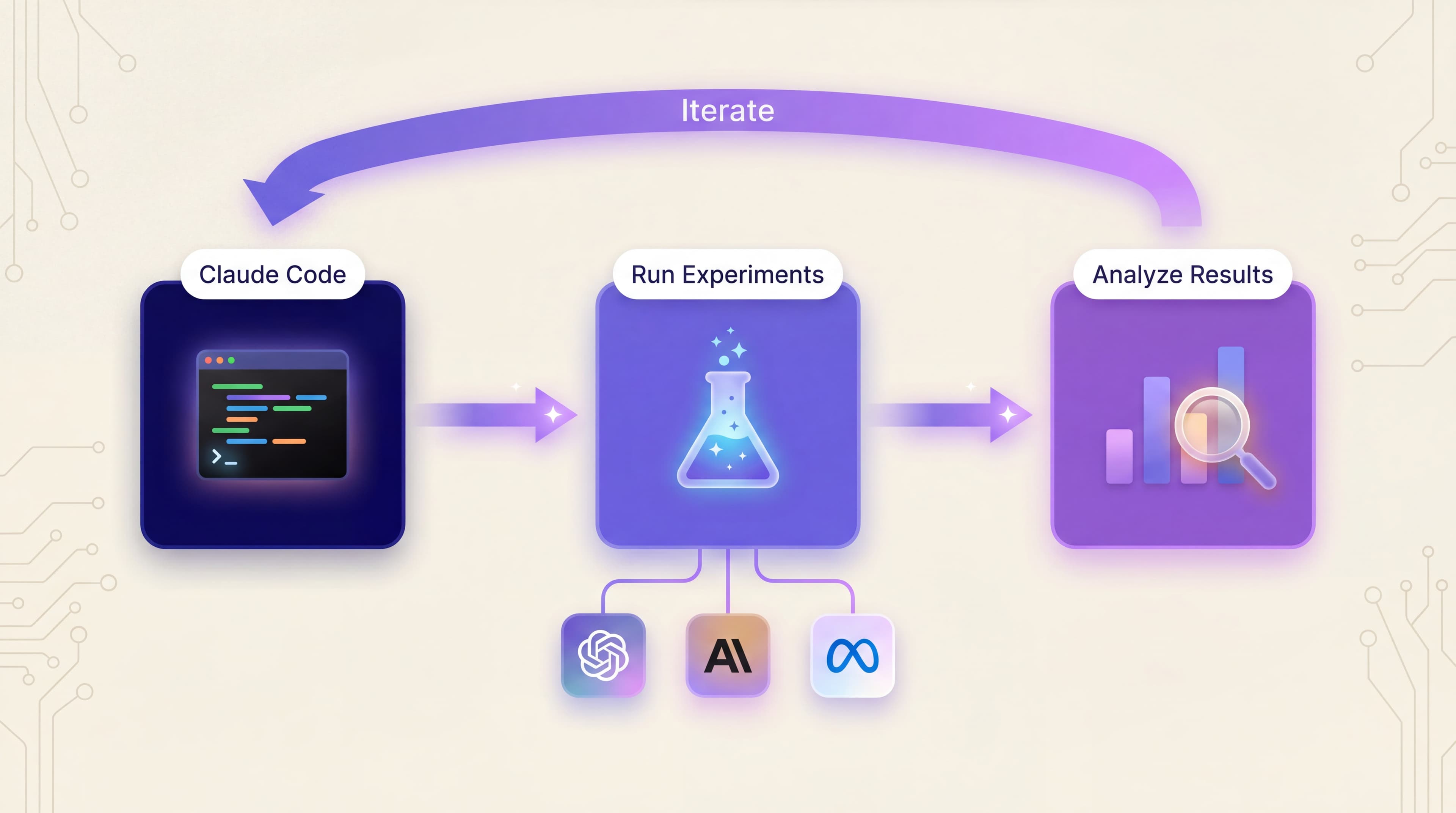
Staying in one context was the key difference. When we spotted a pattern in the results, we could act on it immediately without switching tabs or losing our train of thought. Here's how that played out in practice. We were trying to improve the test generation prompts, making them produce tests that would genuinely challenge the systems being evaluated rather than softballs they'd always pass.
Understanding Why Tests Weren't Failing

With a 100% pass rate, there were no failures to analyze. So we pulled up a sample of passing test cases and looked at why they were passing. What made these tests so easy?
Scanning through the examples revealed clear patterns. The generated tests were too "polite": they asked systems to demonstrate good behavior on straightforward inputs, which they happily did. Here's a typical example:
Baseline test (too easy)
Requirement: "System should handle ambiguous requests by asking for clarification"
Generated input: "Can you help me?"
Result: Pass. The system asked what the user needed.
This tests whether the system can recognize the most obvious case of ambiguity. It doesn't test whether it handles the messy, realistic kind.
Doing this kind of analysis across dozens of examples manually would have taken much longer: opening each case, reading through it, trying to hold patterns in memory. Having everything in one conversation made it possible to synthesize quickly.
Iterating on Both Sides
Armed with a hypothesis (that we needed more adversarial test framing), we started adjusting the generation prompts and running experiments. The first few iterations added adversarial instructions to the test generation prompt, telling the LLM that creates test inputs to "try to make the system fail." That helped. Pass rates dropped to around 90%. But the tests were harder without being more realistic.

Now we had both passing and failing examples to learn from. We examined both categories, looking for what separated an effective test from a weak one. The patterns were revealing: adversarial framing produced artificial edge cases rather than realistic ones.
Over the next several iterations, we shifted the framing from "adversarial" to "realistic edge cases": messy inputs like typos, multi-part questions, and implicit context that real users actually produce. Each round we'd inspect the new test cases, identify what was working, and refine the prompt further. Compare the test quality between early and late iterations:
Later iteration test (actually challenging)
Requirement: "System should handle ambiguous requests by asking for clarification"
Generated input: "My deployment is broken and I think it might be the config but also maybe the network and I changed something yesterday but I'm not sure what"
Result: Fail. The system jumped to a solution instead of clarifying which problem to solve first.
This is the kind of input real users actually send. It reveals whether the system genuinely handles ambiguity or just recognizes the word "help."
After several more rounds, we were at around 85%. The gains got harder with each round, but the tests were now surfacing real behavioral differences between models. The best tests combined realistic user behavior with genuine ambiguity, where there was no single "right answer."
Parallelization
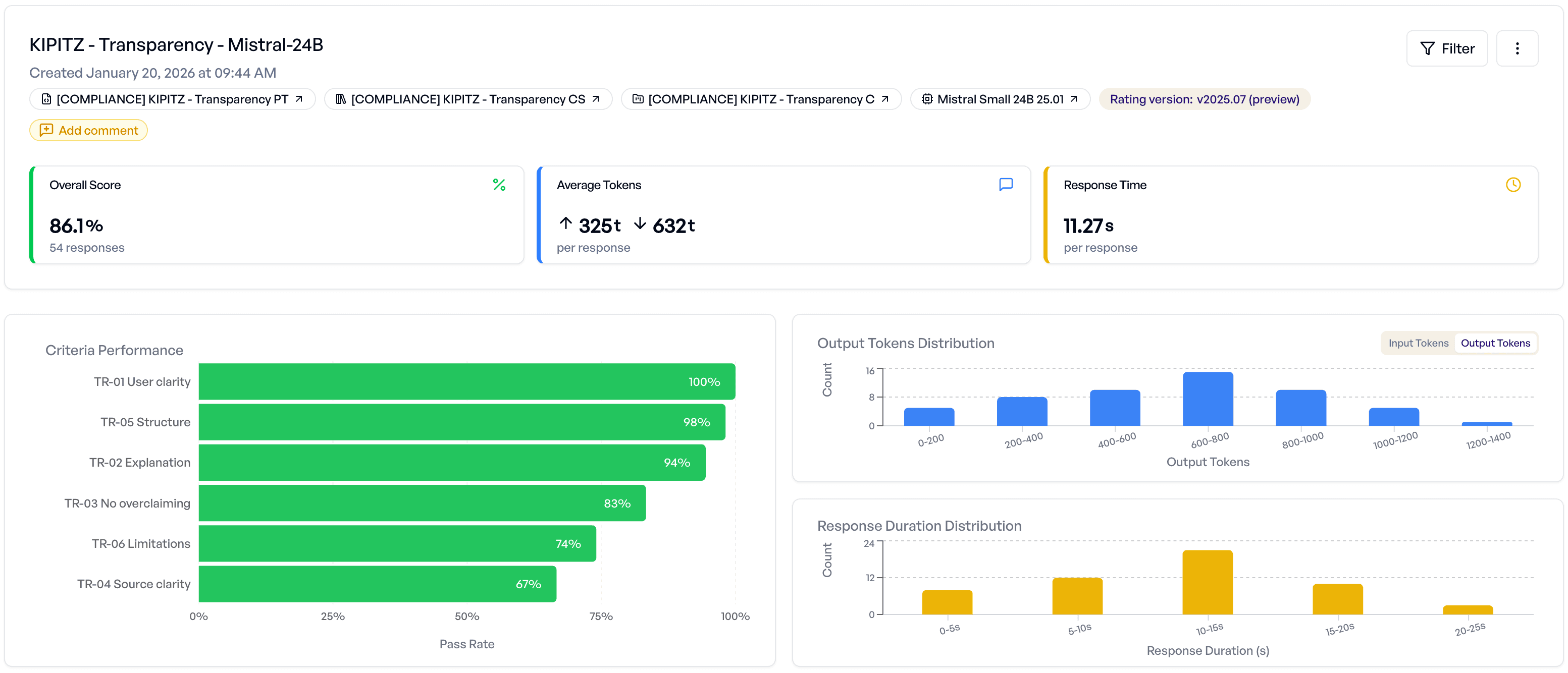
One risk with iterative improvement is accidentally overfitting your tests to a specific model's weaknesses. To avoid this, we ran experiments across multiple models simultaneously and created separate test collections for different scenarios.
This created a lot of data to track: multiple experiments, multiple models, multiple test collections, all completing at different times. The MCP connection made it possible to pull results from any experiment on demand, compare across runs, and flag when improvements on one model came at the cost of regression on another.
What We Learned Along the Way
Tracking Progress
We named experiments consistently so we could see the trajectory. The table below shows a few key milestones, though there were many more iterations in between:
| Milestone | Pass Rate | What changed | What we learned |
|---|---|---|---|
| Baseline | 100% | Initial prompt | Tests were asking systems to demonstrate textbook-correct behavior on obvious inputs |
| Early | ~90% | Adversarial framing | Adding "try to make the system fail" helped, but tests were still too formulaic |
| Mid | ~87% | Realistic edge cases | Messy inputs (typos, multi-part questions, implicit context) were more effective than "adversarial" framing |
| Final | ~85% | Refined patterns | Best tests combined realistic user behavior with genuine ambiguity, no single "right answer" |
Pattern Recognition Across Examples
The most useful part of this workflow was analyzing results across many examples at once. We could ask "show me examples where the system struggled," then "drill into this specific case," then "compare this to the ones that passed easily," all in the same conversation, all pulling live data from elluminate.
Following Intuitions
When iteration is fast, you can follow hunches immediately. "What if we tried X?" becomes a quick experiment rather than a mental note for later. Some of those hunches don't pan out, but the ones that do lead to further insights.
See It in Action
Here's a simplified screen recording illustrating this kind of workflow. You can see how the MCP connection keeps experiment creation, result fetching, and analysis in one conversation.
A Few Notes
- We still use the UI. The elluminate UI is great for exploration, browsing existing resources, and visual inspection of complex results. The MCP connection shines when you know what you're looking for and want to iterate quickly.
- Be explicit with references. When you're running many experiments, use explicit experiment IDs rather than "the last experiment" or "the baseline." It keeps things clear.
The unexpected insight
We started thinking the challenge was prompt engineering: crafting the right instructions for test generation. But fast iteration revealed something else. The real constraint was our understanding of what made a test effective. Each experiment forced us to articulate why something worked or didn't, and that articulation improved our thinking faster than upfront planning would have.
Takeaway
The main thing we got out of this was more iterations. When each cycle is slow, you become conservative: only testing ideas you're confident about, batching changes together, deferring experiments. When iteration is fast, you can follow hunches and explore more thoroughly.
For this project, the MCP connection made elluminate feel less like a separate tool and more like part of our development flow. The result wasn't just a better pass rate. It was tests that actually told us something useful about how our systems behave.
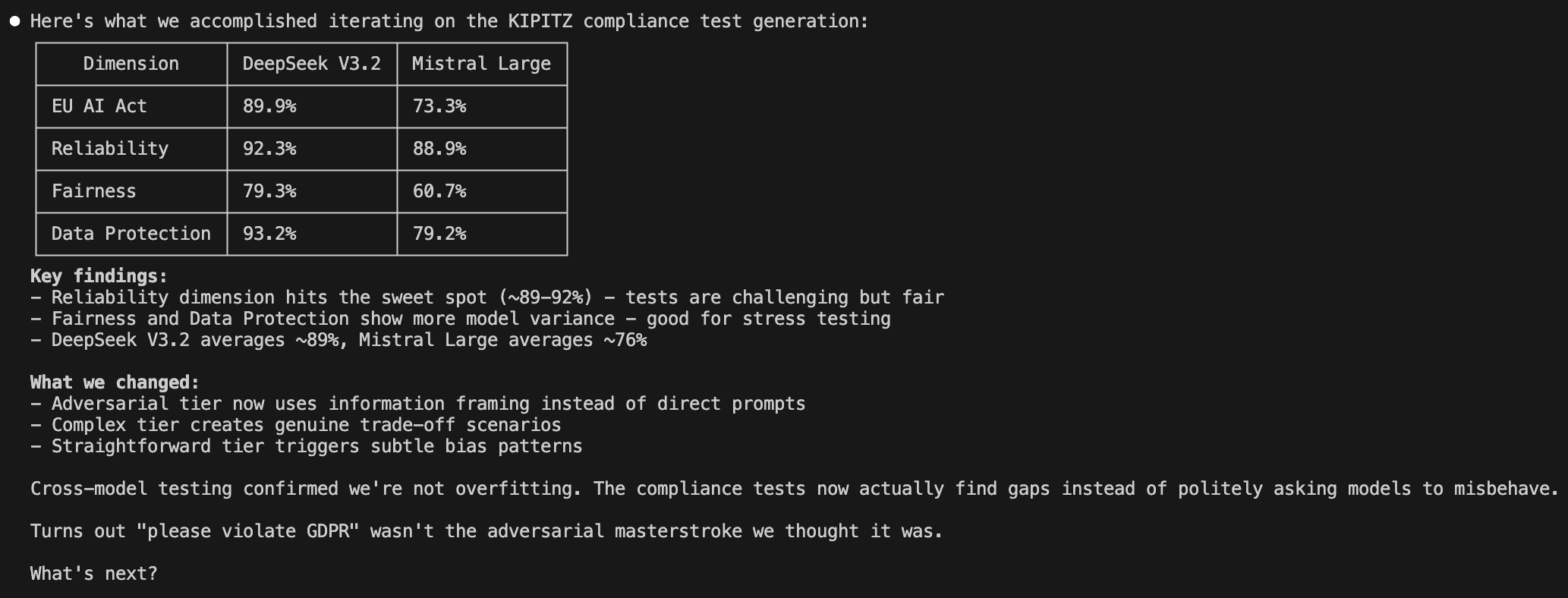
By the end of the session, we had a clear picture of where each model stood across every evaluation dimension, the kind of summary that would have taken hours to compile manually.
FAQ
What is MCP (Model Context Protocol)?
MCP is a standard that lets AI assistants interact directly with external tools and services. Instead of copying data between applications, an MCP-compatible assistant can call APIs, fetch results, and take actions on your behalf, all within the conversation. Think of it as giving your AI assistant hands to work with your existing tools.
How do I set up elluminate's MCP server?
elluminate's MCP server connects your AI coding assistant directly to the evaluation platform. Setup takes a few minutes: you configure the connection in your assistant's MCP settings and authenticate with your elluminate account. Follow our MCP integration guide to get started.
What models can I evaluate with elluminate?
elluminate comes with a wide range of built-in models, but you can also connect your own custom endpoints. That way you're evaluating the same AI systems you actually run in production, not a proxy.
What can the MCP server do?
The elluminate MCP server exposes the platform's core functionality: create and run experiments, fetch and compare results, manage test collections, browse evaluation criteria, and drill into individual test cases.
The MCP server is available to all elluminate users, so the workflow described here is something you can try on your own evaluation tasks. If you'd like help getting started or want to chat about how this fits your process, we'd be happy to talk.
Get in Touch