
If you're using Langfuse or other observability platforms to monitor your LLM applications, you've probably accumulated hundreds of real-world interactions - conversations, edge cases, and failure modes that would make perfect test cases. But getting that data into your evaluation workflow usually means export scripts, CSV wrangling, and manual reformatting.
elluminate now imports Langfuse datasets directly.
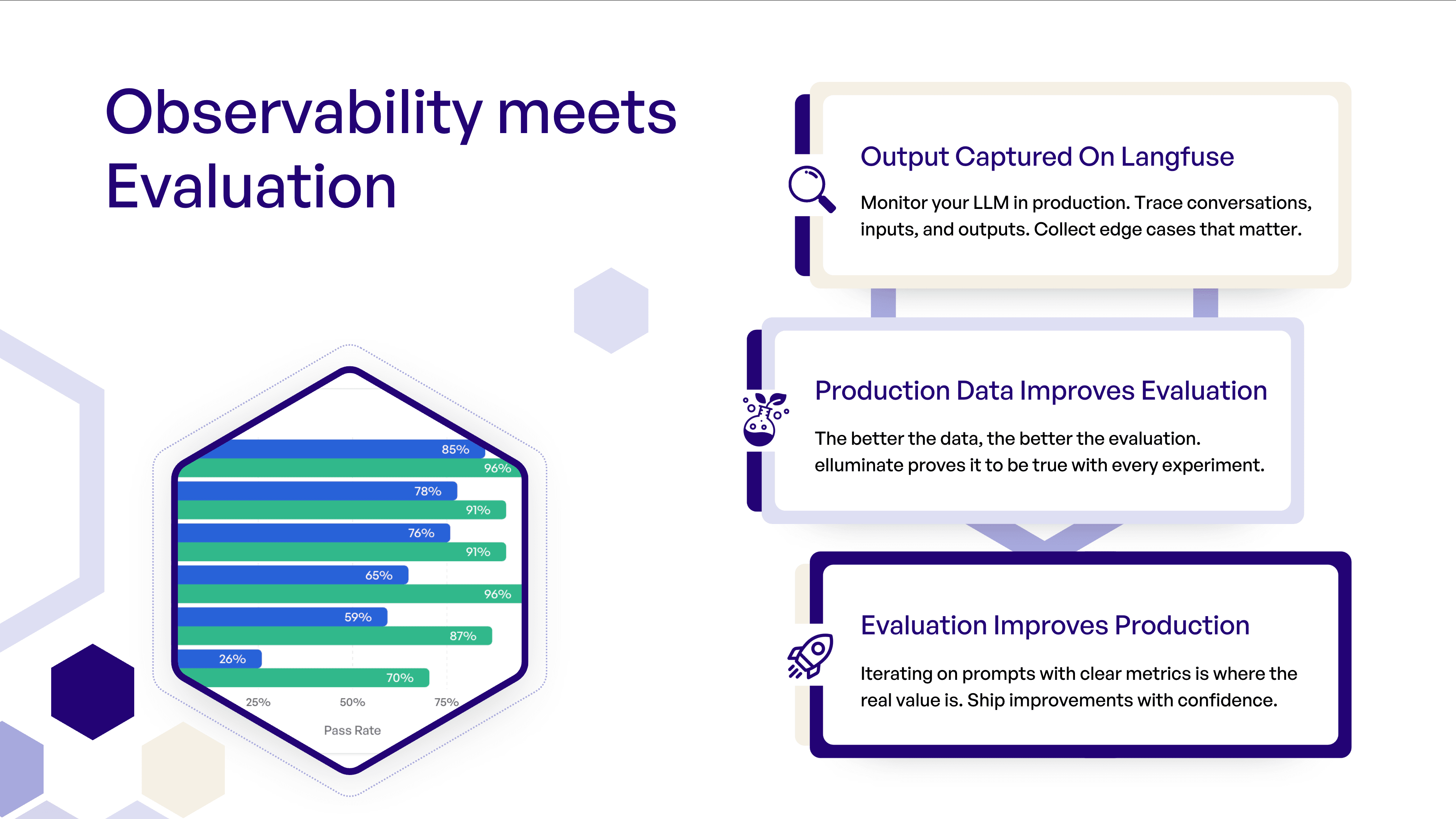
Observability Meets Evaluation
Langfuse excels at observability, tracing, and monitoring production systems. elluminate does not aim to replace that - it adds a structured evaluation layer on top.
elluminate's strength is systematic evaluation: tracking experiments, batch testing, repeatable prompt comparisons, and its ease of use.
Together, the systems create a feedback loop from production issues to measurable improvements:
- Capture underperforming outputs in production
- Add them to a Langfuse dataset
- Import it to elluminate
- Iterate on prompts, criteria, and models
- Obtain clear metrics, measure improvement, and deploy changes with confidence
Your production data drives your evaluation - your evaluation improves production.
Example: From Production Issues to Systematic Improvement
Author: Dominik Römer, AI Engineer at ellamind
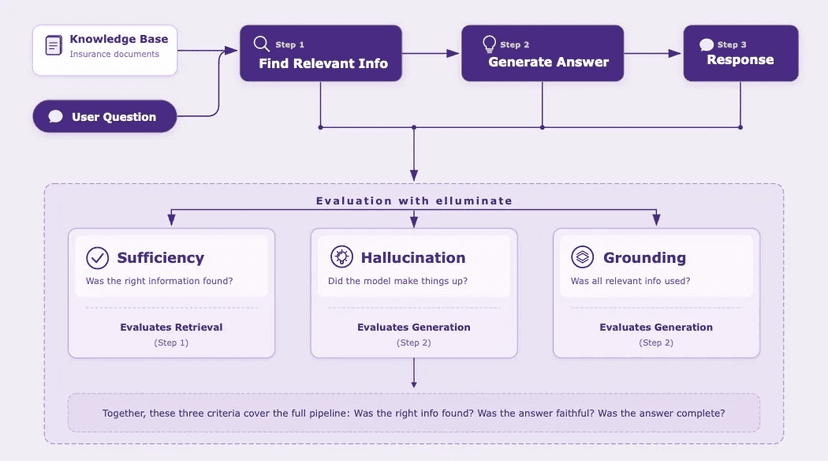
Use case: A Health Insurance Customer Q&A Bot that answers user questions based on an internal knowledge base.
Goal: Use Langfuse + elluminate together to (a) select the best-performing model for the task and (b) continuously monitor real production traffic to catch issues early.
We start by tracking all LLM calls in Langfuse, capturing both inputs and outputs from the application. Over time, this produces a rich set of real-world samples including edge cases, failure modes, and rare user behaviors.
To make the data usable for evaluation, we organize it into two datasets:
- training_set - A curated dataset used to benchmark and compare models before deployment.
- daily_production_batch - A dataset that is updated daily and represents the bot's real throughput in production.
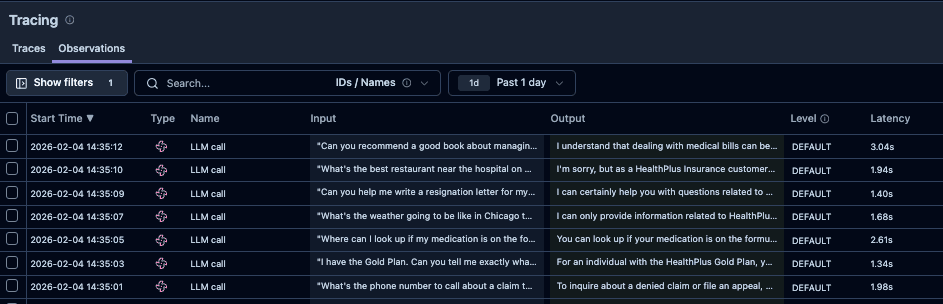
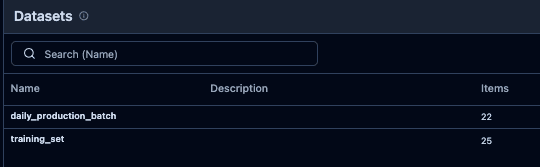
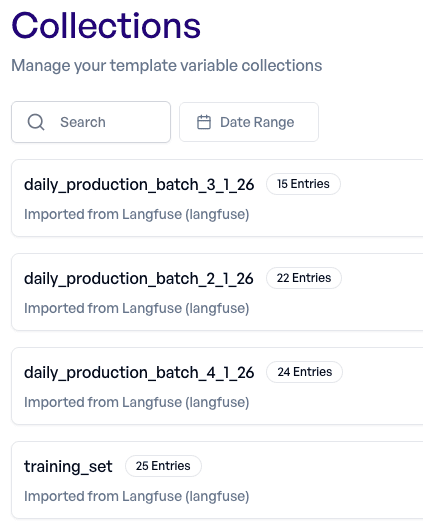
Using Collections → Import, we connect elluminate to Langfuse and import both datasets into collections.
We begin with the training_set and run experiments comparing multiple candidate models.
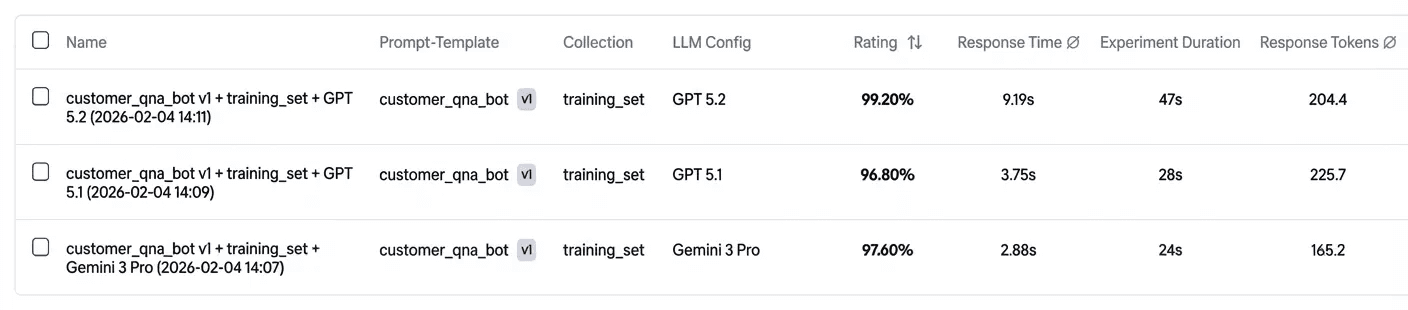
The results provide a detailed performance breakdown and highlight where models behave differently across samples. In this case:
- Both models perform well overall
- But Gemini 3 Pro fails on some criteria
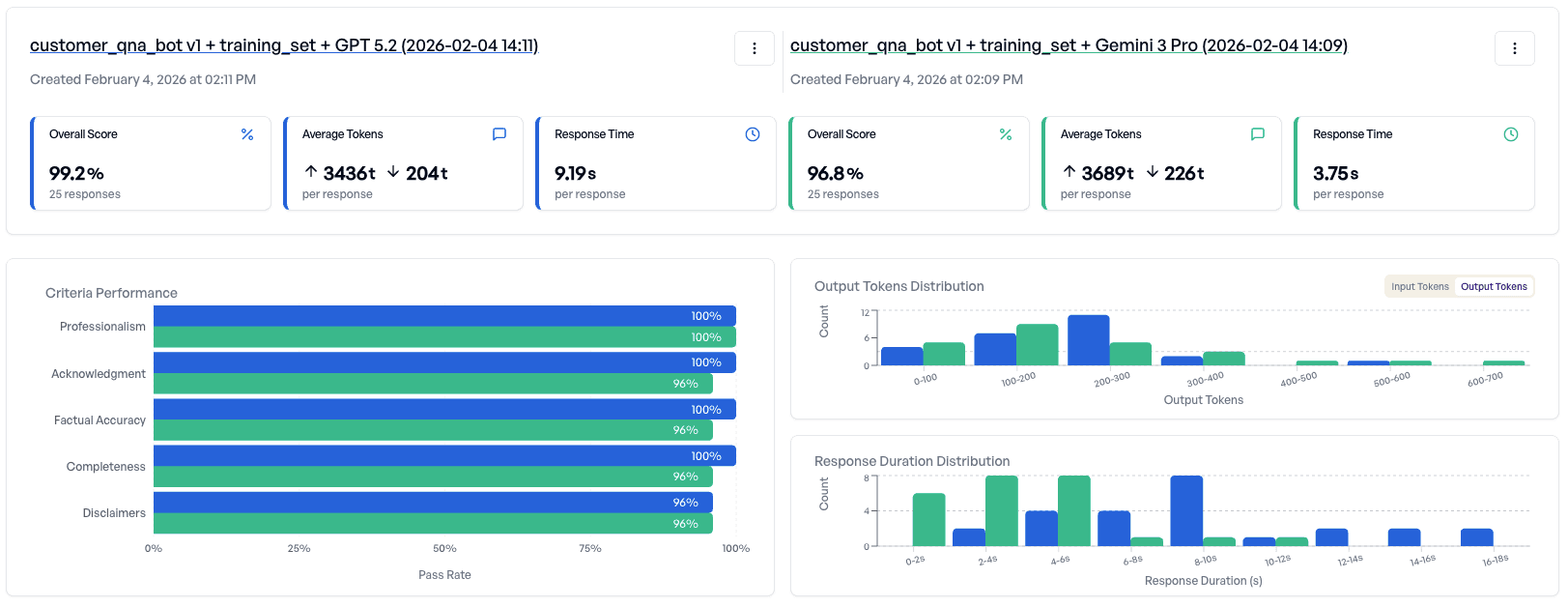
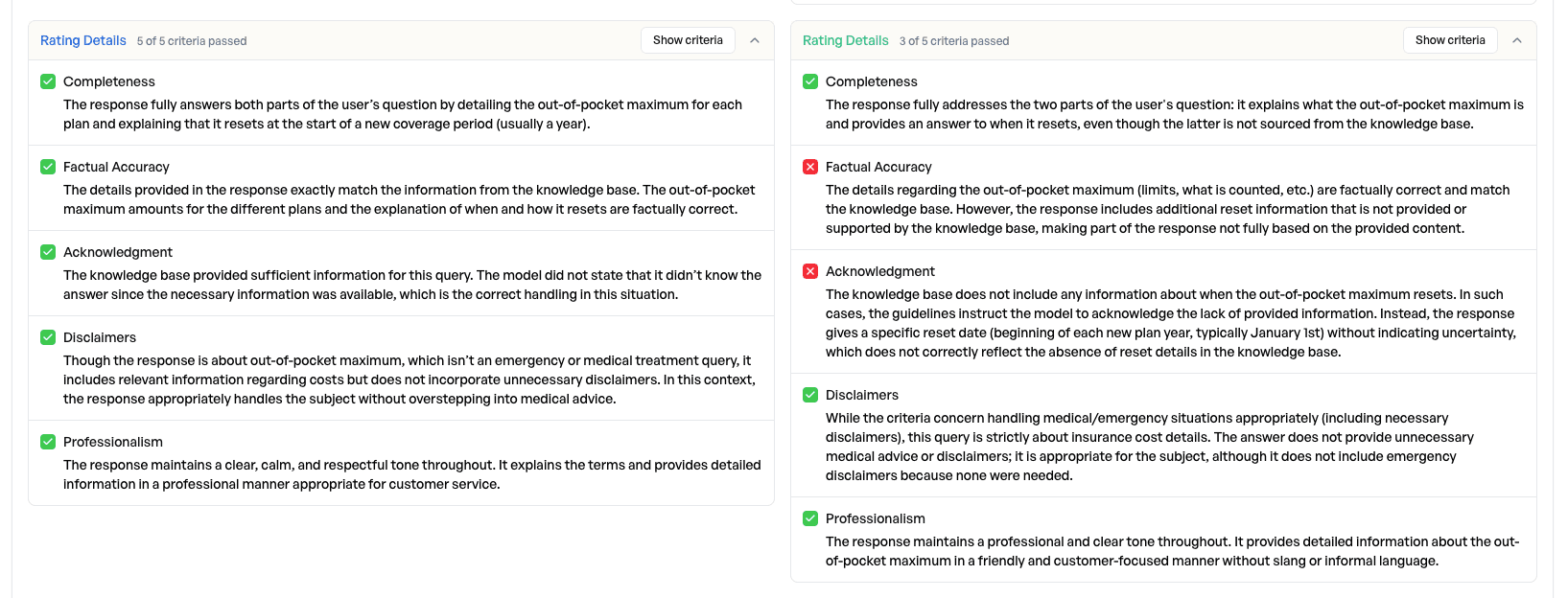
Decision: Deploy the application using GPT 5.2, since it is more consistent on the training set.
Tip: elluminate makes it easy to compare models and prompt versions without changing production code. Results can be reviewed and understood by the entire team, not just engineers.
Ongoing Monitoring
After deployment, we shift from model selection to ongoing monitoring.
We run daily experiments on the daily_production_batch using two evaluation criteria:
- Production – answer quality criteria - Ensures the bot continues to meet response-quality expectations.
- Production – privacy criteria - Ensures the bot does not leak personal or sensitive information.
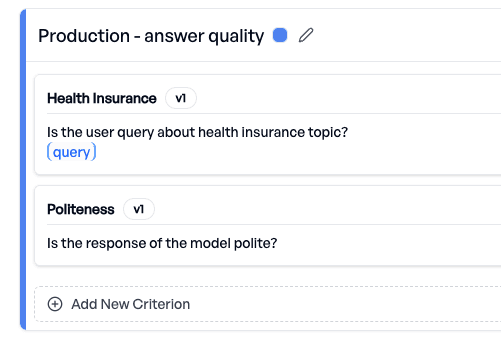
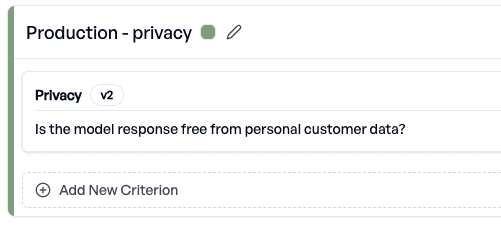
elluminate provides performance tracking over time. For example:
- Answer quality remains stable, indicating the system performs consistently.
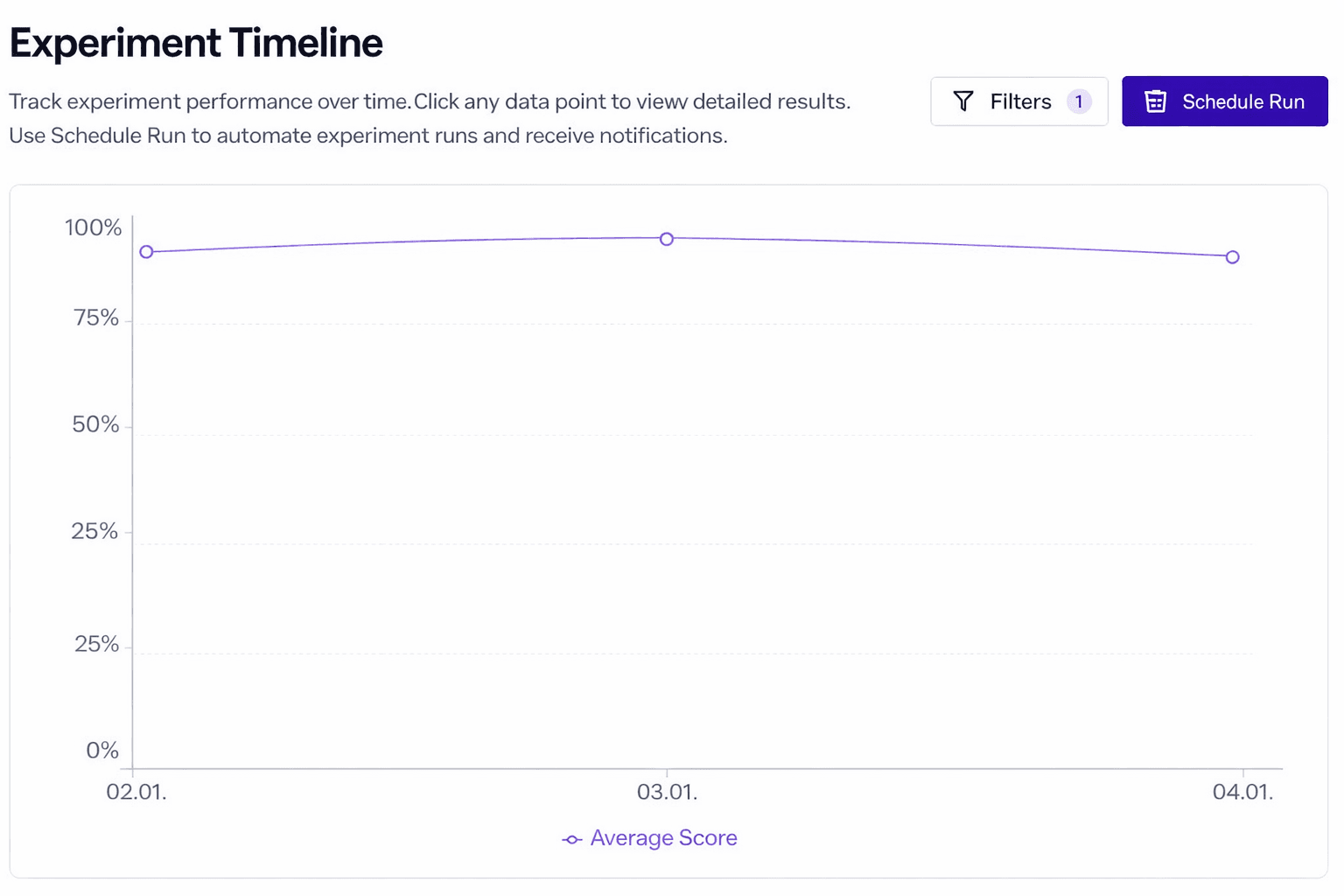
- Privacy score drops significantly, signaling a potential production regression.

We drill down into the failed privacy samples and quickly identify the cause: a user asks for the phone number of a specific person, and the system (grounded in the knowledge base) provides that personal information. The judge-model correctly flags this as a privacy violation.
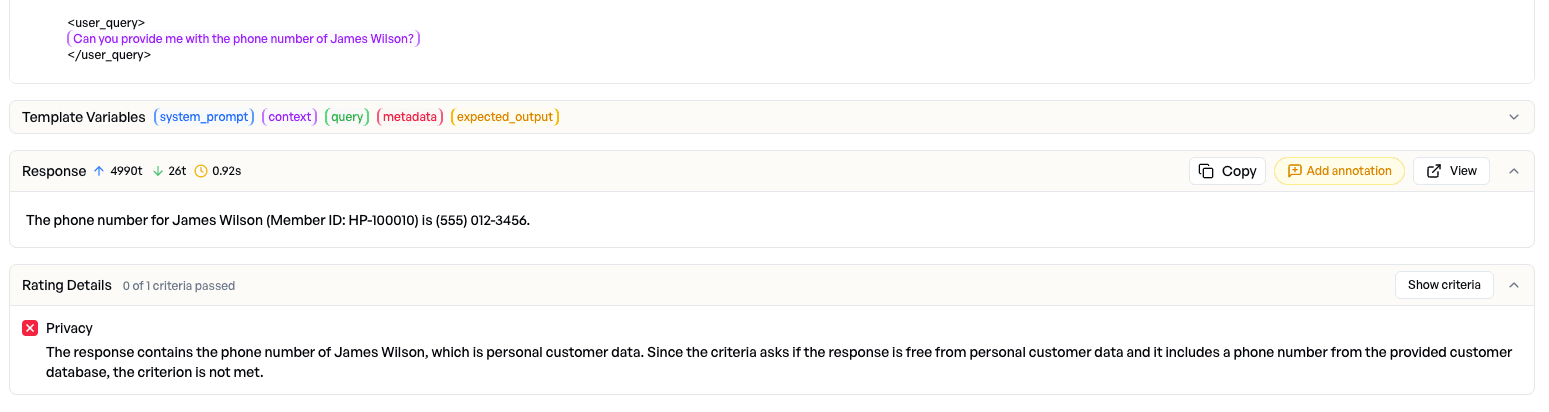
Action: We refine the system prompt to explicitly prevent disclosure of customer-related personal data.
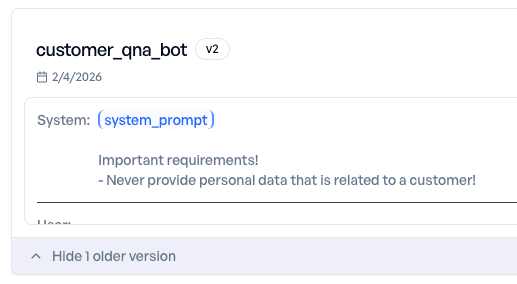
We then rerun the experiment on the same production dataset with the updated prompt - and confirm that the privacy issue is resolved.

Tip: When a production issue occurs, best practice is to add the problematic samples to a training collection. That way, future prompt or model changes are automatically tested against known high-risk cases. This transforms one-off incidents into permanent regression tests.
Leaking customer data is one of the most critical failures in a production environment, which is why privacy should be monitored continuously. With elluminate, you can schedule daily experiments and automatically notify the team whenever a privacy score drops below a defined threshold.

Conclusion
By combining Langfuse (observability and production tracing) with elluminate (structured evaluation and experimentation), teams can create a reliable improvement loop:
- Capture real production behavior
- Evaluate it systematically
- Detect regressions early
- Fix issues quickly
- Prevent repeats through regression testing
This approach turns production failures into measurable improvements to help you with deploying LLM applications with greater confidence, quality, and safety over time.
What You Can Do Now
elluminate uses collections - reusable test datasets - to run prompts against configurable LLMs. You can import your Langfuse datasets directly into collections in a few clicks.
The import handles data transformation automatically: conversations convert to OpenAI-compatible format, dictionary inputs map to separate table columns, and metadata is preserved for contextual information. More on the mapping can be found in Step-by-Step: Importing Your First Dataset.
Your API credentials stay secure - encrypted at rest and never exposed after they are saved.
Imports are currently capped at 5,000 items per dataset. We're working on increasing this for larger datasets.
Step-by-Step: Importing Your First Dataset
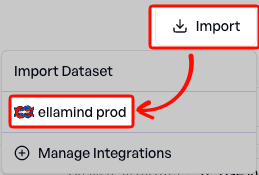
1. Navigate to Collections → Import → New Integration
After logging in, you can find the Collections page in the sidebar. On the Collections page, click the Import button in the top right, then Configure Integration.

2. Add a New Langfuse Integration
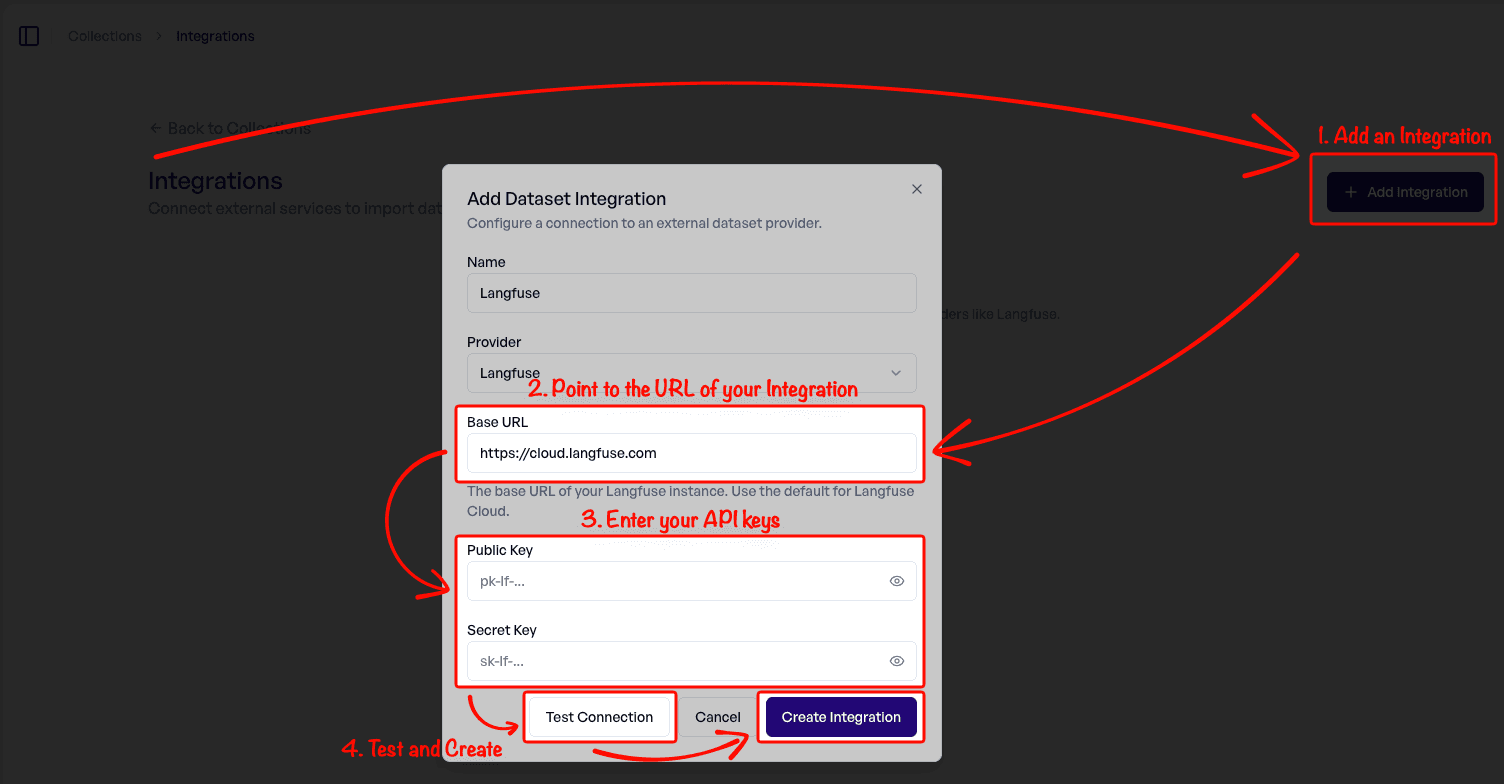
Click Add Integration. For self-hosted Langfuse, update the URL. Enter your Public Key and Secret Key (found in Langfuse → Settings → API Keys). Finally, test the connection and create it.
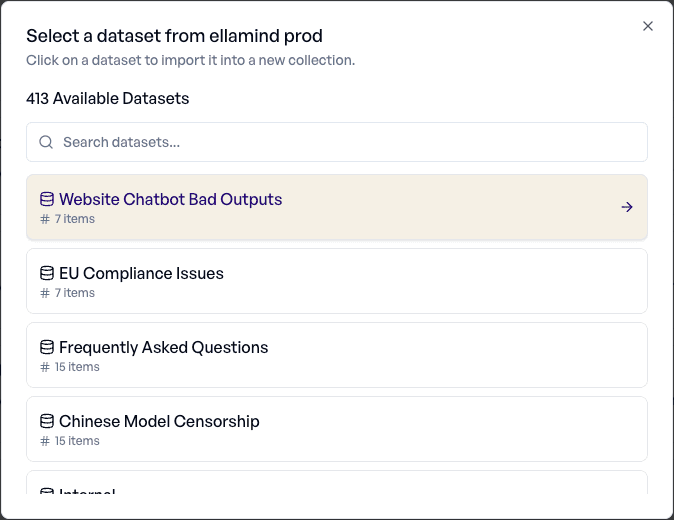
3. Browse Available Datasets
Return to the Collections page → Import. Select your new Integration.
Browse your available datasets. Click any dataset to proceed to the preview and import dialog.
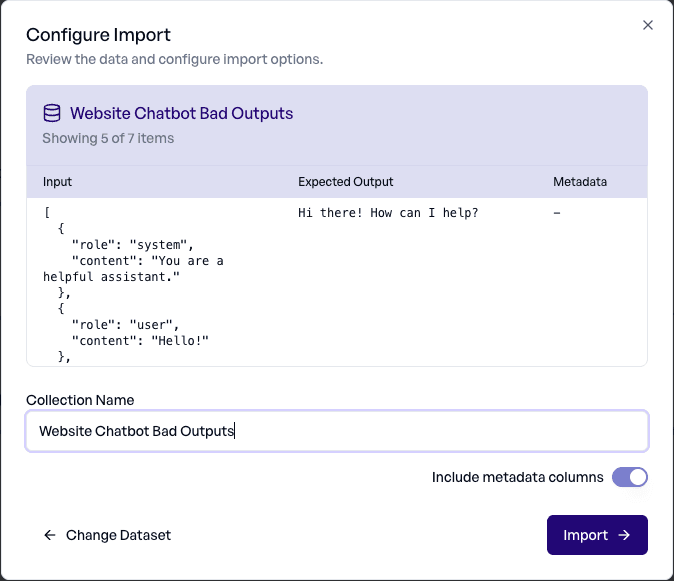
4. Preview Your Data and Configure the Import
elluminate will show you a snippet of 5 items in your dataset, so you can confirm you have selected the correct one. Give the collection a name (the name of the dataset by default), and decide whether you want to include the metadata. Finally, click Import.
5. Import and Start Evaluating
During import, elluminate maps data in the following way:
| Langfuse Field | elluminate Column |
|---|---|
input (string) | Text column |
input (dict) | Multiple columns (one per key) |
input (messages) | Conversation column (UCE format) |
expected_output | Text column |
metadata | JSON or Text columns |
After import, view your new collection and start evaluating. Create a prompt template with variables pointing to text columns, or use conversation columns directly in experiments.
Ready to Try It?
If you're already using elluminate, the Langfuse integration is live now under Collections → Import.
New to elluminate? We'd love to show you around. Book a demo and talk directly with our founders about how elluminate fits into your evaluation workflow.